Query Data with Query Workbench
The Query Workbench allows you to easily explore and work with your data.
-
Step 1: Query Workbench
-
Step 2: Running your First Query
Query Workbench
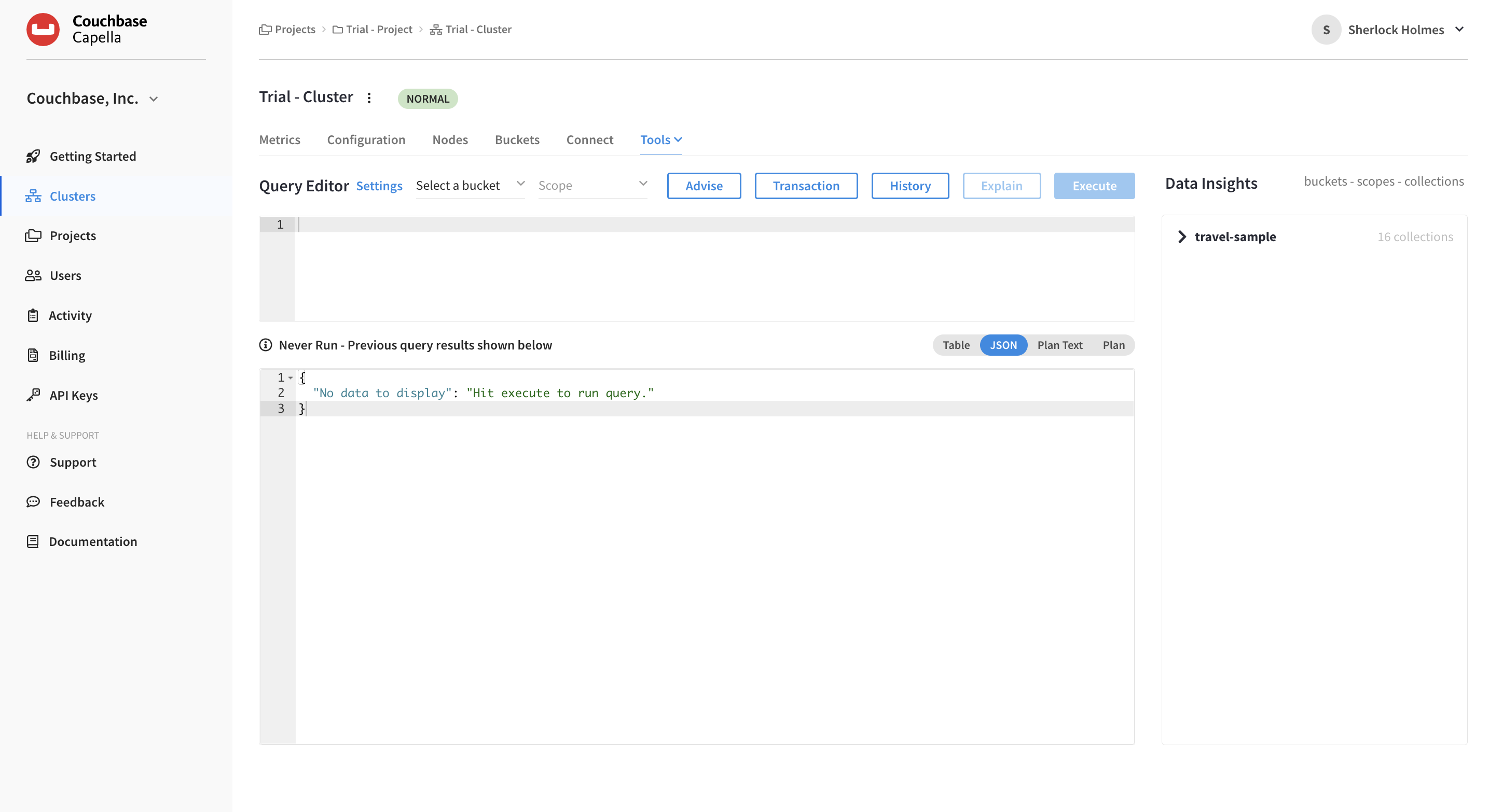
On clusters running the Query Service, Couchbase Capella provides an interactive query tool called the Query Workbench. Using the Query Workbench you can conveniently explore data and create, edit, run, and save queries. You can also explore the document structures in a bucket — all in a single window.
The Query Workbench is available under your cluster’s menu.
Running your First Query
Couchbase makes it easy for teams to leverage their SQL knowledge. The power of SQL as a declarative language, combined with our cost-based optimizer, makes data access simple, even for JOINS across documents - which is complex in other document databases.
Let’s run our first query. The following query uses an inner join to list the source airports and airlines that fly into SFO, where only the non-null route documents join with matching airline documents. Copy and paste the following query into the Query Editor, then click Execute. Please note the execution time of the query shown in milliseconds.
SELECT route.airlineid, airline.name, route.sourceairport, route.destinationairport
FROM `travel-sample` route
INNER JOIN `travel-sample` airline
ON route.airlineid = META(airline).id
WHERE route.type = "route"
AND route.destinationairport = "SFO"
ORDER BY route.sourceairport;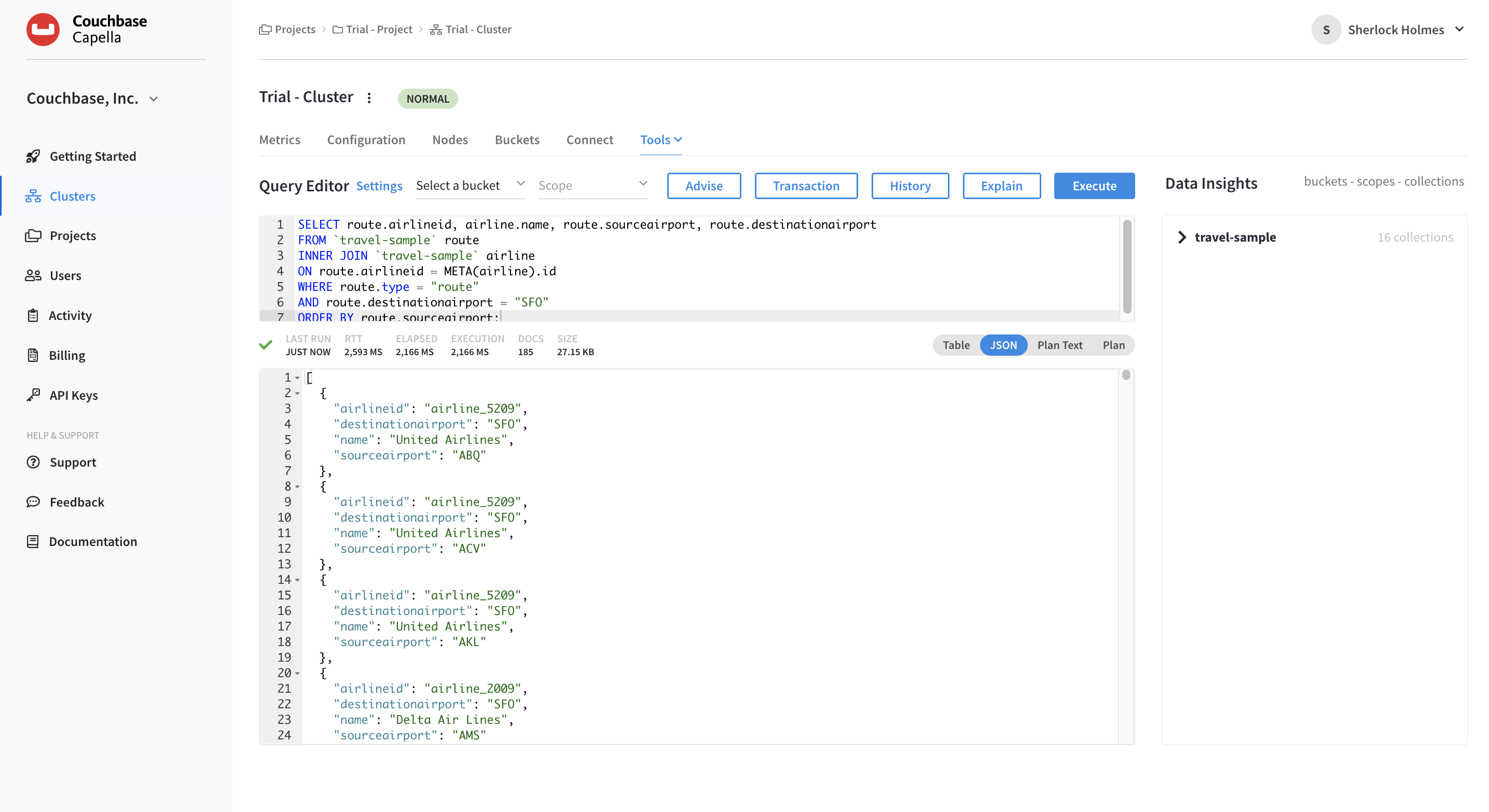
The results are displayed in JSON format in the Query Results field.
If you select the Plan tab, Capella will show how the query was executed in a graphical format. We can look at the data-flow diagram to see query operators. Initial scans at the right, final output on the left. Potentially expensive operators are highlighted. Fetch represents almost 90% of the time spent.
|
See Also
To learn more about using the Query Workbench, see Query Workbench.
|
Speed up your Query: Build an Index
Let’s speed this query up with our Indexing Service.
-
To determine the right index, we’ll press the Advise button.
An ADVISE statement provides index advice that optimizes response time for the query and recommends an index. You can either copy the recommended
CREATE INDEXcommand from the results in the Query Workbench or use the statement below.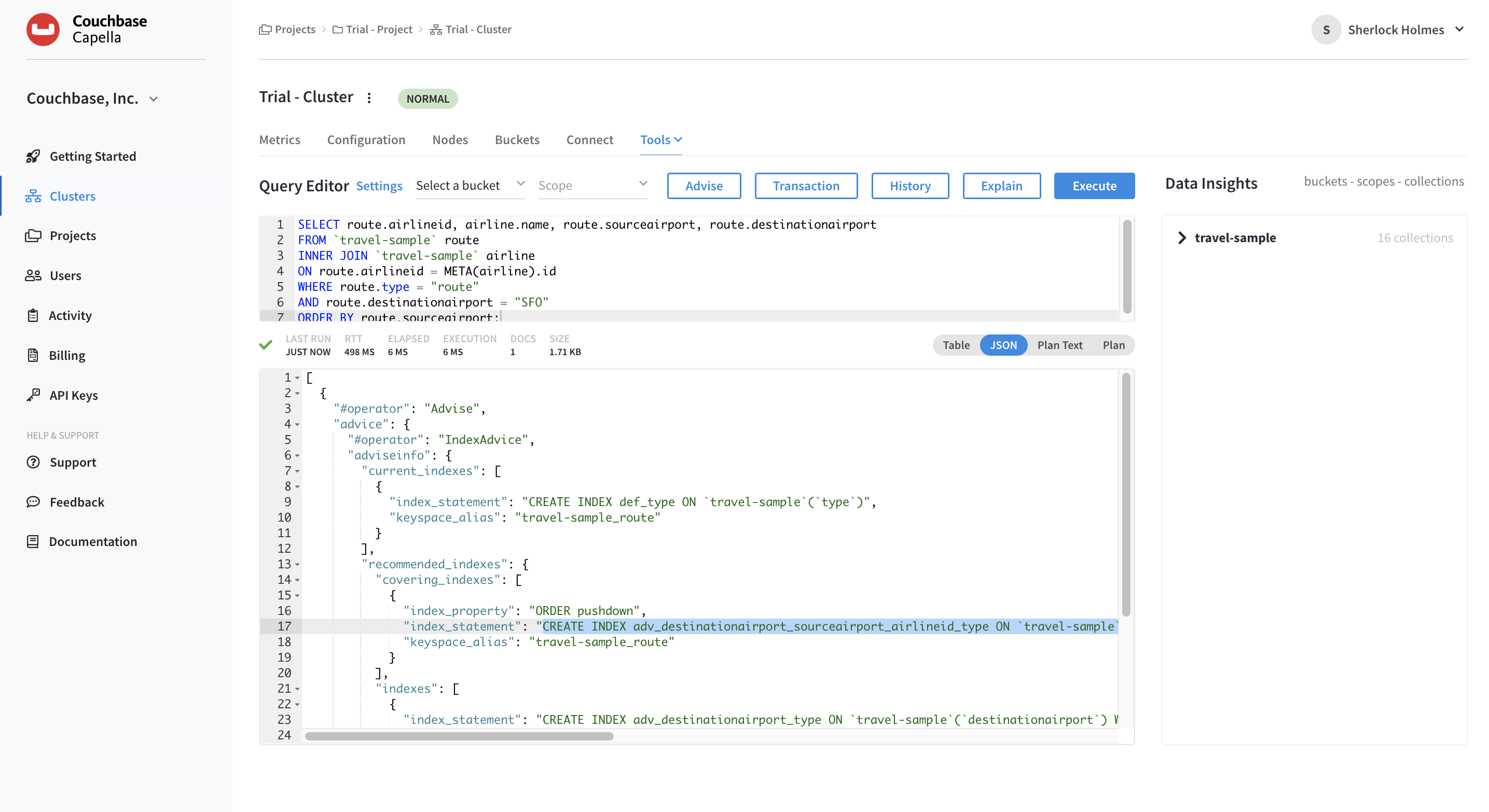
CREATE INDEX adv_destinationairport_sourceairport_airlineid_type ON `travel-sample`(`destinationairport`,`sourceairport`,`airlineid`) WHERE `type` = 'route' -
Select the previous query in the Query Editor and replace it with the
CREATE INDEXstatement. -
Click Execute.
This will take a few seconds to run.
Now let’s re-run the SELECT statement to see if there are any speed improvements.
-
Click the History button.
This will show you all previous queries.
-
Click the SELECT statement you previously used.
In doing so, Capella will automatically populate the Query Editor with this statement.
-
Click Execute to re-run the statement.
Now take a look at the execution time. It is radically lower — around 10 milliseconds.
Next Steps
The next step is exploring other utilities and services available in Capella — working with documents, indexes, and Full-Text Search (FTS).