Quick editor
Quick Editor is a new interface in FTS where you can quickly select the bucket, scope, and collection and choose the index fields from the searched documents.
Due to this, the search query performance will be optimized as it has to handle fewer fields, which in turn increases the query latency.
To quick edit an index, left-click on the Quick Index button, towards the right-hand side on the Full Text Indexes panel:

The Quick Edit screen appears.
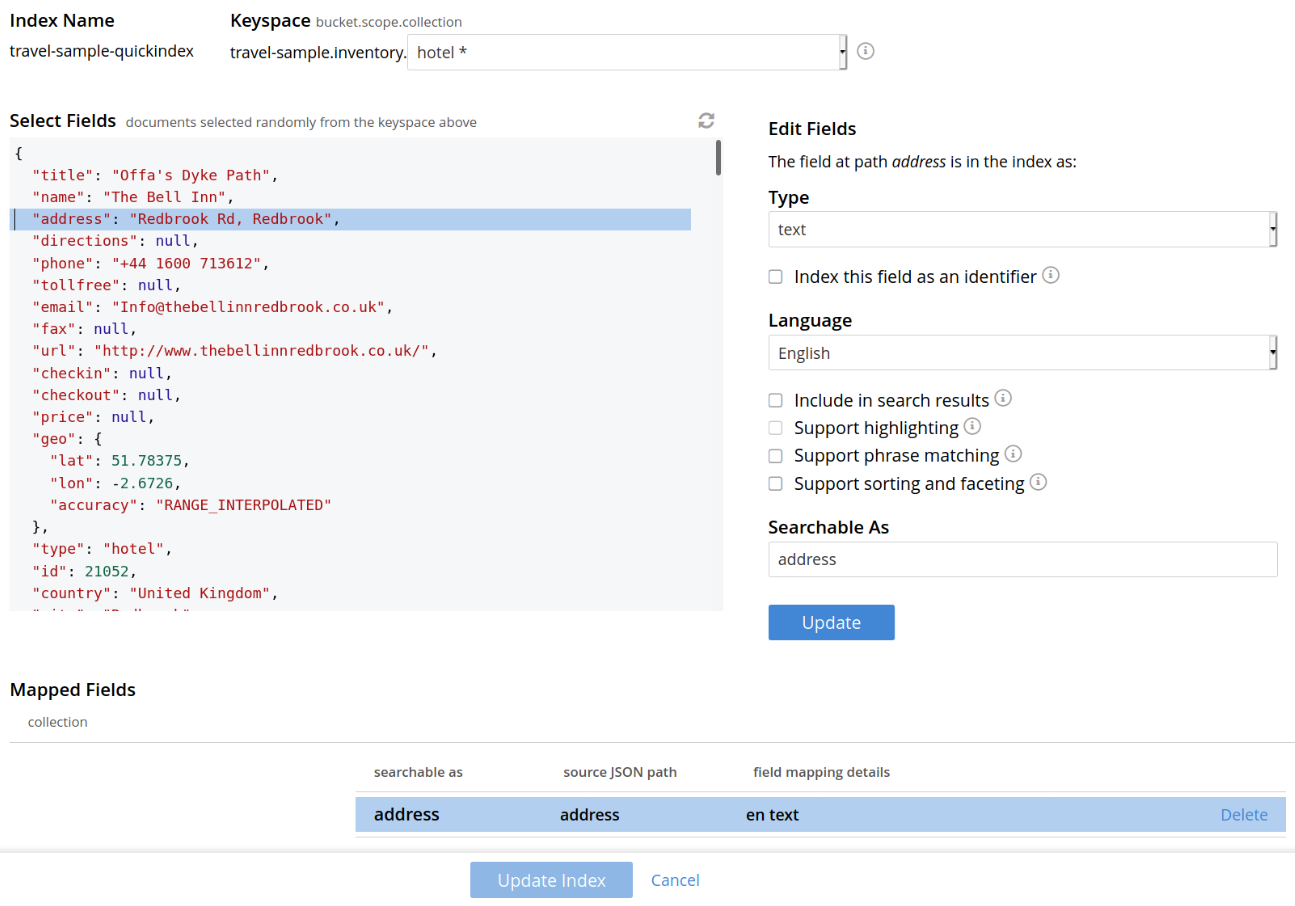
Quick Edit allows you to modify and delete the configured mapped fields with the same index. To delete the mapped fields, select the field from the Mapped Fields grid and click Delete.

To map the new fields, select the field from the JSON format document, change the configuration and click Add.

To modify the mapped fields, select the field from the Mapped Fields, change the configuration and click Update.

To save your changes in quick index, left-click on the Update Index button, near the bottom of the screen